Last updated: August 4, 2026

Microlearning Hub
About the Hub
The Privacy Matters @ UBC Microlearning Hub is a central space for quick, practical learning designed for UBC faculty and staff. Each module focuses on essential data privacy and cybersecurity topics you’re likely to encounter in your day-to-day work—no jargon, no long courses, and no prior expertise required.
These microlearning modules are completely optional and self-paced. They’re designed as a low-barrier way to stay current, build confidence, and reinforce good practices in a field that’s constantly evolving. While the format is short and interactive, the topics themselves are important: how we handle data, protect personal information, and safeguard UBC’s digital community matters to all of us.
How Do I Get Started?
Simply click on any microlearning module to begin—there’s no required order and no prerequisites. Each module will guide you step by step through a short, interactive learning experience and award you a digital badge once you’ve completed it. To begin a module, you’ll be asked to enter your first name, last name, and email address so your participation and badge can be properly recorded. You can return at any time to complete additional modules at your own pace.

Why Participate?
This program was created to make learning about data privacy and cybersecurity approachable, relevant, and rewarding.
- Short and focused – Modules take only a few minutes to complete
- Engaging by design – Interactive scenarios and real-world examples
- Flexible – Participate when it works for you
- Meaningful – Reinforces behaviours that help protect personal and institutional information
While participation isn’t required, the content is thoughtfully designed to support UBC faculty and staff in meeting their shared responsibility to handle data securely and thoughtfully.
Each microlearning module includes a digital badge that you earn upon successful completion.
Badges are:
- Unique to each module
- Downloadable
- Designed to recognize your learning and participation
As you complete modules, you’ll collect badges in your Digital Badge Holder, creating a visual record of your progress over the season.


You can download the Digital Badge Holder PDF at any time and save it somewhere easily accessible on your computer. As you complete each microlearning module, download the badge you’ve earned, then open the Badge Holder and click on the white square that corresponds to that module. A dialog box will appear prompting you to locate the badge image file on your device—select the file and click OK, and the badge will be added automatically. Be sure to save the Badge Holder PDF after each badge is added, and repeat these steps as you earn all 12 badges. Once your Badge Holder is complete, send it as an attachment to privacy.matters@ubc.ca.
A full microlearning season consists of 12 modules. Once you’ve earned all 12 badges:
- You’ll submit your completed Digital Badge Holder.
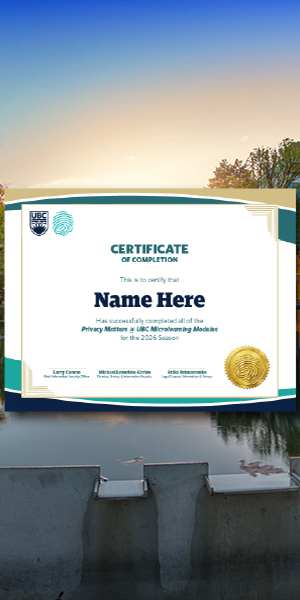
- You’ll receive a Certificate of Completion acknowledging your participation in the Microlearning Hub season.
This certificate recognizes your commitment to ongoing learning in data privacy and cybersecurity. It’s suitable for inclusion on a résumé, LinkedIn profile, or professional portfolio as a voluntary professional development activity.
Frequently Asked Questions